Let's suppose that you have an infrastructure of 1000 hosts and you want to know how many of them use EFS - Elastic File System or traditionally known as Network File System
Or Let's just say that you have 100 EFS File systems in your AWS account and you want to audit where those EFS file systems are mounted to.
Both are same requirement from different angle.
So I had a recent requirement of perfoming such EFS Audit and wanted to Find EC2 instances using EFS File System and this is how I did it with Ansible.
So here it goes. EFS Usage report as CSV
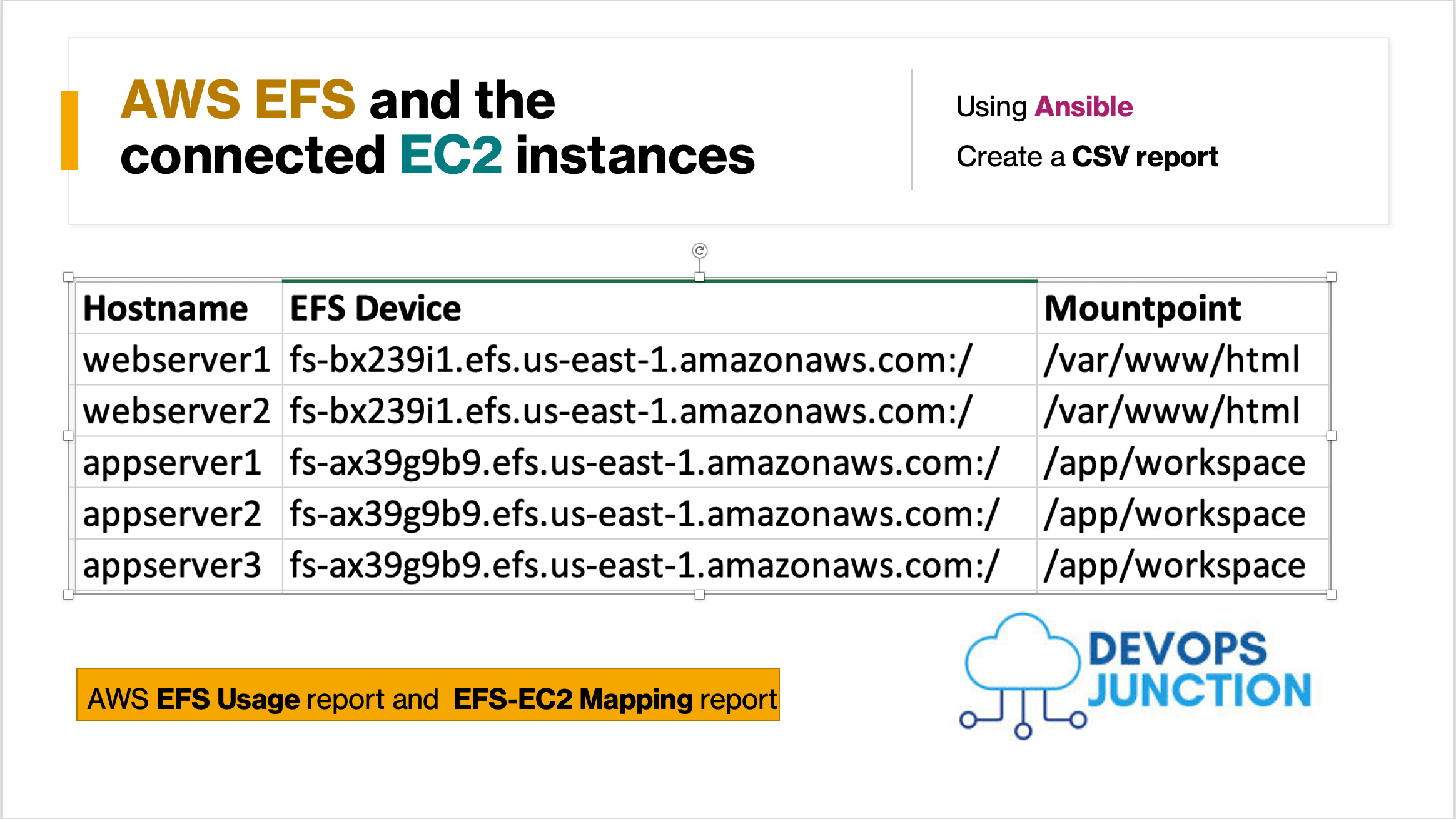
This article is going to talk about how I have ran a Single Ansible Playbook to collect the EFS mounts of my entire EC2 instances ( Let's just say 1000+)
With no further ado let's start with a playbook
Ansible Playbook to collect EFS mounts across all EC2 instances
This playbook is rather little complicated than the simple ones.
Cause I had to use lot of Ansible's Built-in filters and variables along with Jinja2 Filters too.
We can first take a look at the playbook and decode it bit by bit later.
---
 - name: EFS report
   hosts: prodall
   gather_facts: yes
   tasks:
    - name: "Collect the NFS mounts"
      set_fact:
       testvar: "{{ testvar | default ({}) | combine ( { inventory_hostname : (ansible_facts.mounts | selectattr('fstype', 'in', ['nfs4','nfs']) | list | sort(attribute='mount'))[-1] } ) }}"
      register: testreg

    # to print all messages in single place
    - set_fact:
        data: "{{ ansible_play_hosts | map ('extract', hostvars, 'testvar') }}"
      run_once: yes


    # Parse Json and create a CSV using jq
    - name: create a CSV file locally on control machine
      local_action:
        module: shell
        args: |
           echo "Hostname,EFS Device,Mountpoint" > efstest.csv
           echo {{ data | to_json | tojson  }} | jq '.[]|to_entries[] | [.key, .value.device, .value.mount] |@csv'|tr -d '\\"' >> efsdata.csv
      run_once: yes
Yeah. It looks simple at first sight, but it took a while to figure out the filters ( at least for me)
So we have three tasks here in the playbook
Everything we need to do would be taken care by the gathering_facts stage. All the tasks are just for data processing.
Read more about Ansible Facts and how to use them here
Task 1: Collecting the EFS mounts from ansible facts
The First Task where we do the major data collection. we are using the ansible facts already collected and trying to create dictionary.
- name: "Collect NFS Mounts"
  set_fact:
     testvar: "{{ testvar | default ({}) | combine ( { inventory_hostname : (ansible_facts.mounts | selectattr('fstype', 'in', ['nfs4','nfs']) | list | sort(attribute='mount'))[-1] } ) }}"
  register: testreg
The hostname would be the key and the value would be the nfs mount related info.
"appserver01": {
            "block_available": 8796052503629,
            "block_size": 1048576,
            "block_total": 8796093022207,
            "block_used": 40518578,
            "device": "fs-xxx9s01.efs.us-east-1.amazonaws.com:/",
            "fstype": "nfs4",
            "inode_available": 0,
            "inode_total": 0,
            "inode_used": 0,
            "mount": "/remotedrive",
            "options": "rw,relatime,vers=4.1,rsize=1048576,wsize=1048576,namlen=255,hard,noresvport,proto=tcp,timeo=600,retrans=2,sec=sys,clientaddr=172.31.2.236,local_lock=none,addr=172.31.4.26",
            "size_available": 9223329550045282304,
            "size_total": 9223372036853727232,
            "uuid": "N/A"
        }
All this would be saved into a variable named testvar on the corresponding host. It would later be referred using hostvars
| testvar | default ({}) | Declaring a variable named testvar and declaring it as a dictionary. Read more about ansible dict here |
| combine ( { | Using Combine, we are adding a { key: value } and the inventory_hostname is the key |
| inventory_hostname : | inventory_hostname would be replaced with the actual hostname defined on the inventory. |
| (ansible_facts.mounts | selectattr('fstype', 'in', ['nfs4','nfs']) | list | ansible_facts.mounts would have the list of mounts and selectattr('fstype','in',['nfs4',nfs]) would help on filtering only the nfs mounts. |
| sort(attribute='mount'))[-1] | sort the output based on the attribute mount and
[-1] is the same as the last filter to select the last item ( there would be only one) |
Task 2: Combining all the individual host EFS data into a Single Dictionary
In this task we are using ansible map filter and two built-in variables named ansible_play_hosts and hostvars to extract the variable named testvar we have saved earlier for all the hosts.
hostvarsis a a dictionary whose keys are Ansible hostnames and values are dicts that map variable names to valuesansible_play_hostsA list of all of the inventory hostnames that are active in the current play
# to print all messages in single place
- set_fact:
    data: "{{ ansible_play_hosts | map ('extract', hostvars, 'testvar') }}"
  run_once: yes
Task 3: Converting the Single Dictionary variable into JSON and create CSV
While the second task will create a dictionary named data and store all the hostnames and their efs information as key: value format
We need to convert this to JSON to process it further and to select only the required attributes
For our case, we are only taking the following attributes
- hostname ( based on the inventory_hostname stored as
key) - EFS device name or Full URL
- Mount point ( file system path )
The outcome CSV would look something like this
webserver1,fs-bx239i1.efs.us-east-1.amazonaws.com:/,/var/www/html
webserver2,fs-bx239i1.efs.us-east-1.amazonaws.com:/,/var/www/html
appserver1,fs-ax39g9b9.efs.us-east-1.amazonaws.com:/,/app/workspace
appserver2,fs-ax39g9b9.efs.us-east-1.amazonaws.com:/,/app/workspace
appserver3,fs-ax39g9b9.efs.us-east-1.amazonaws.com:/,/app/workspace
Once the JSON is created, we are going to use the JSON parser jq on the control machine for data processing and creating CSV.
JQ must be installed on the control machine from where you are executing the playbook ( windows/mac/linux) machine
What we are doing here is that we are extracting the variable named testvar we have saved during the task 1 dedicatedly for each host in our hostgroup.
# Parse Json and create a CSV using jq
- name: create a CSV file locally on control machine
  local_action:
    module: shell
    args: |
       echo "Hostname,EFS Device,Mountpoint" > efstest.csv
       echo {{ data | to_json | tojson  }} | jq '.[]|to_entries[] | [.key, .value.device, .value.mount] |@csv'|tr -d '\\"' >> efstest.csv
  run_once: yes
All the variables of All the hosts associated with the playbook, would be available in hostvars built in variable
We are using map and extract to get only the testvar variable for the list of hosts in current play.
While it was little confusing at first. I hope you can understand it when you look at it once or twice.
Ansible Maps are little hard to explain and am already writing a dedicated article for ansible map.
The Result CSV data
Here is the snippet of what the resulting CSV would look like. you can add more parameters if you want by adding them into the jq filter
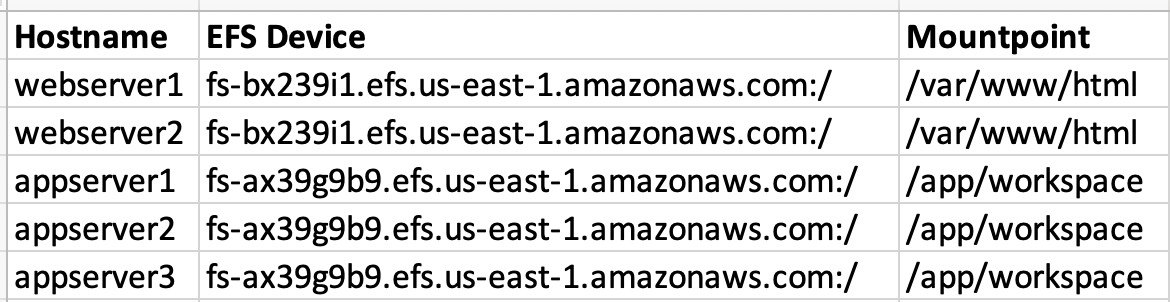
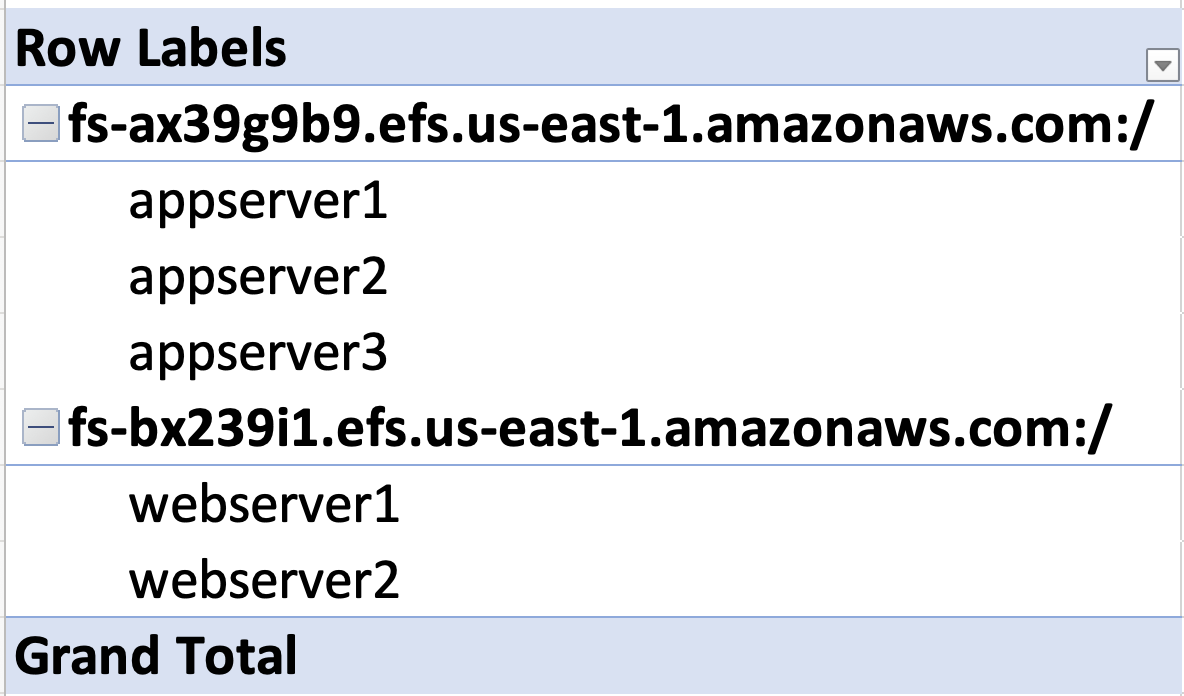
With little Pivot chart you can also come to know the list EC2 instances using the EFS file systems like this
You might also like this article on listing the EFS using AWS CLI
Conclusion
Hope this article helped you understand various filters like map , to_json etc along with data processing tricks using built in variables like hostvars .
If you have any better way to do this. please share it with us and the world. over the comments section.
Cheers
Sarav AK

Follow me on Linkedin My Profile Follow DevopsJunction onFacebook orTwitter For more practical videos and tutorials. Subscribe to our channel

Signup for Exclusive "Subscriber-only" Content